ACCOUNT DELETION — TRACEAREA
Last updated: June 24, 2026
This page explains how you can request deletion of your TraceArea account and associated personal data.
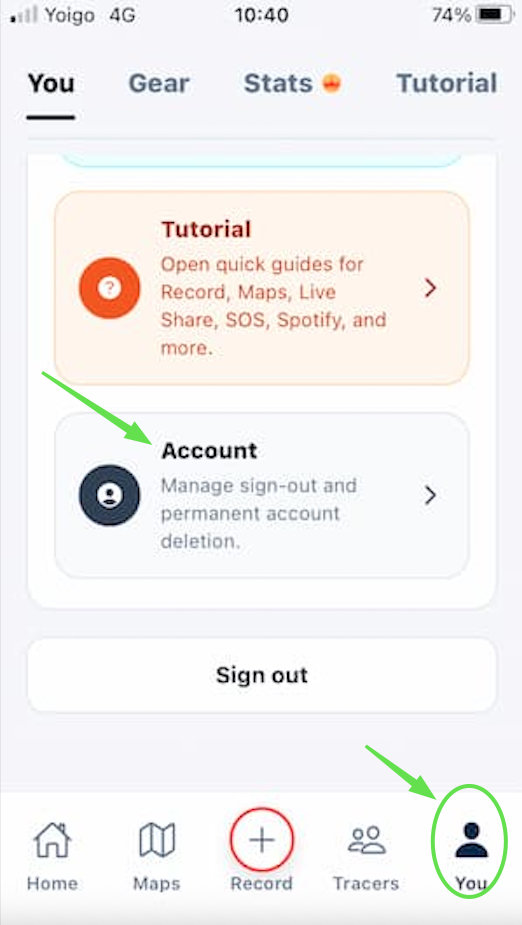
1. Delete your account in the app
You can delete your account directly from the account settings inside TraceArea.
2. Request deletion by email
You can also request account deletion by emailing: contact@tracearea.com
The request should be sent from the email address associated with your TraceArea account and include:
- The account email
- A clear request to delete the account
3. Data we delete
TraceArea will delete the account and associated personal data, including:
- Profile data
- Activities
- Routes
- Uploaded profile photo or avatar
- Live Share data
- Safety Trace settings
We may retain limited information when required for legal, security, or fraud-prevention reasons.
4. Uninstalling the app
Uninstalling the app does not automatically delete your account or associated data. To delete the account, use the available in-app feature or send a request by email.