Tutorial 2
Connect Spotify and use Music Coach
Link Spotify to Trace and control music while recording.
Overview
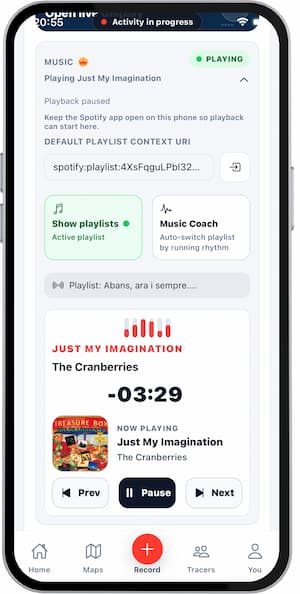
Trace can control Spotify playback during activity recording. Music Coach can also switch music zones based on your effort.
Steps
- Open
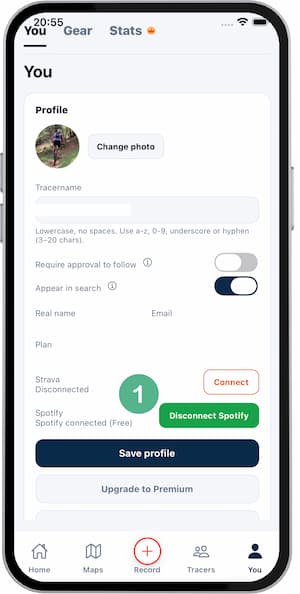
Settings > Music. - Tap
Connect Spotify. - Sign in to Spotify and grant permissions.
- Return to Trace and pick a default playlist.
- Start an activity and open the music panel.
- Enable Music Coach if you want automatic switching.
Tips
- Use downloaded playlists to avoid network interruptions.
- Set volume before you start moving.
- Reconnect Spotify if sync looks stale.
- Solo funciona mientras grabas (necesita ritmo/velocidad).
FAQ
Does Trace publish anything to Spotify?
No. Trace only uses playback controls and playlist access you approve.
Do I need Spotify Premium?
It depends on Spotify account rules and regional limitations.
Why is Music Coach not switching zones?
Make sure an activity is recording and pace/speed data is available.
Screenshots
Screenshots
Was this helpful?