Tutorial 3
Share location with Live Share
Create a temporary link so trusted contacts can follow your location.
Overview
Live Share creates a temporary link that lets trusted people see your live position while you are active.
Steps
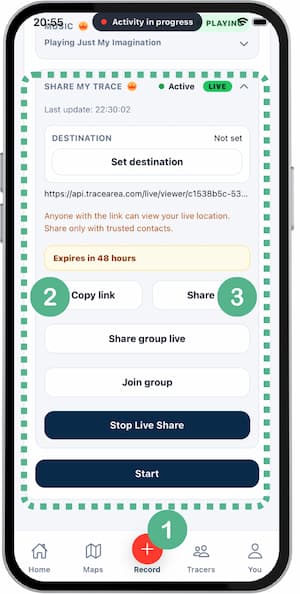
- Start recording an activity.
- Open
Live Share. - Tap
Create link. - Copy the link and send it to a trusted contact.
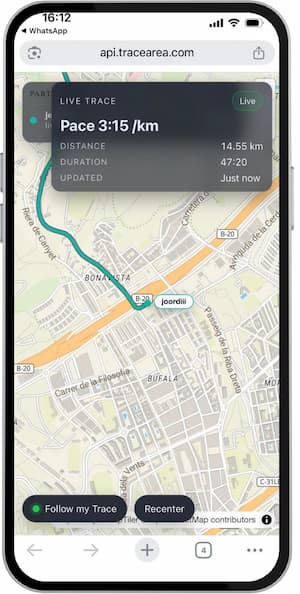
- Confirm they can open the map.
- End live sharing when your session is done.
Tips
- Treat the link as private.
- Do not post links in public channels.
- Stop sharing as soon as you finish.
- Check your background location permissions.
FAQ
Who can see my location?
Anyone with the active link, so only share it with trusted people.
How long does the link last?
It is temporary and expires automatically.
Does it work with screen locked?
Yes, if background location is allowed and recording is active.
Screenshots
Screenshots
Was this helpful?