Tutorial 6
Find and follow tracers
Discover public profiles, search users, and manage who you follow.
Overview
The Tracers section helps you discover people, follow profiles, and stay connected with your community.
Steps
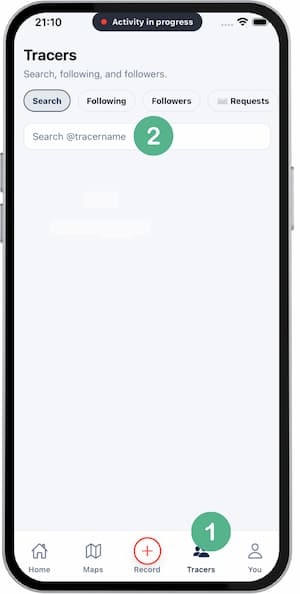
- Open
Tracers. - Search by name or handle.
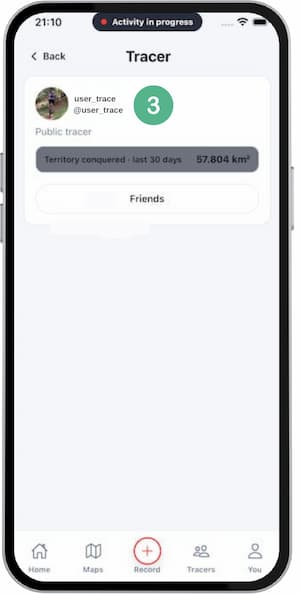
- Open a profile to review public info.
- Tap
Follow. - Check your following list from your profile.
Tips
- Share your handle to be found faster.
- Keep profile settings aligned with your privacy preference.
- Follow only people you trust.
FAQ
Which profile data is public?
It depends on account privacy settings.
Can I unfollow later?
Yes, you can manage follow relationships anytime.
Do private profiles need approval?
Yes, if that user enabled restricted profile access.
Screenshots
Screenshots
Was this helpful?