Tutorial 10
Manage gear
Add shoes or bikes and link them to your activities.
Overview
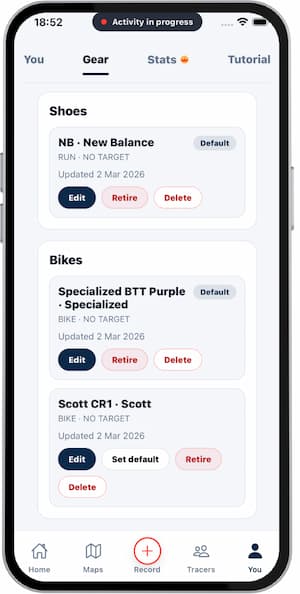
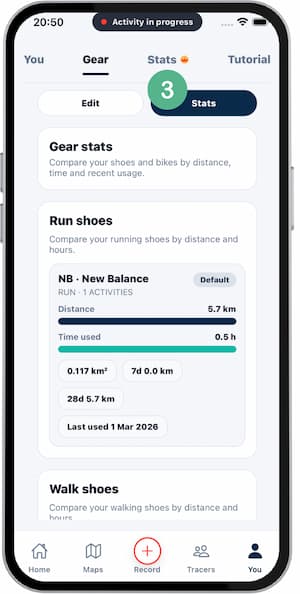
Gear helps you track equipment usage over time, including which items were used in each activity.
Steps
- Open
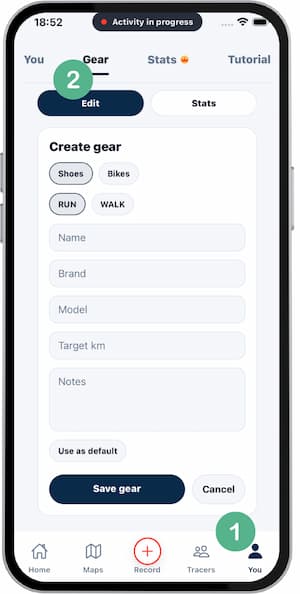
Gear. - Tap
Add gear. - Enter name and type.
- Save the item.
- Assign gear when reviewing an activity.
- Check usage history later.
Tips
- Use clear names for fast selection.
- Archive old gear to keep lists clean.
- Assign gear right after saving activities.
FAQ
Can I attach more than one item per activity?
It depends on sport type and current app rules.
Will renaming gear remove history?
No, it only updates the label.
Why is this useful?
It helps with rotation and wear tracking.
Screenshots
Screenshots
Was this helpful?