Tutorial 9
Read stats and progress
Understand distance, time, streaks, and trend data in Trace.
Overview
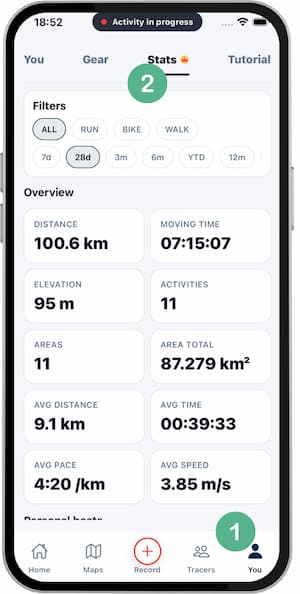
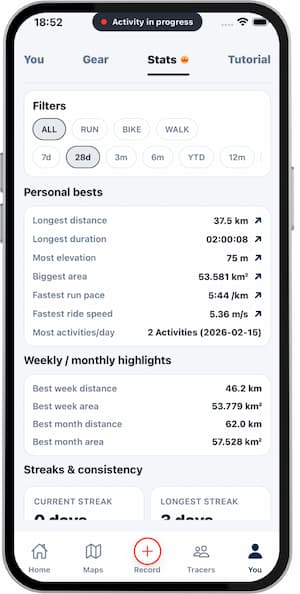
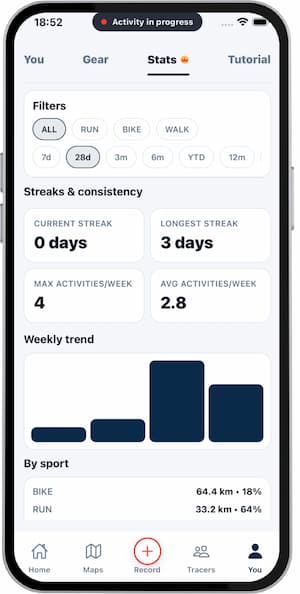
Stats helps you track consistency and progress over time. Use short and long ranges to make better training decisions.
Steps
- Open
Stats. - Pick a time range.
- Review distance, time, and area.
- Check your active streak.
- Compare with previous periods.
Tips
- Weekly ranges are useful for short-term adjustments.
- Monthly ranges show long-term direction.
- Balance consistency with recovery.
FAQ
When do stats update?
Usually after a new saved activity and sync.
Can I compare sports types?
Yes, if activities are logged across different sports.
Why do numbers differ from other apps?
Each app may use different calculations and rounding.
Screenshots
Screenshots
Was this helpful?